MY BESTIE FOR EVER

MY BESTIE FOR EVER

Friday, 18 December 2015

DATABASE-DATA-INFORMATION


Database 
Collection data of organised in the manner allows access, retrieval and use of data.

Data
collection of unprocessed items such as text,image,number,image and video

Information
Process Data (Organised,meaningful,useful)


Database software, often called a database management system (DBMS), allows users

to:

•Create a computerized database 
•Add, modify, and delete data

•Sort and retrieve data

•Create forms and reports from the data


Web databases offer information about:

-Job
-Travel
-Destination
-Television Programming
-Photos 
-Movie
-Videos
-Sport Events


                                                MICROSOFT POWERPOINT
PowerPoint presentations consist of a number of individual pages or "slides". The "slide" analogy is a reference to the slide projector. Slides may contain text, graphics, sound, movies, and other objects, which may be arranged freely. The presentation can be printed, displayed live on a computer, or navigated through at the command of the presenter. For lavideo projector. Slides can also form the basis of webcasts.

rger audiences the computer display is often projected using a
PowerPoint provides three types of movements:
  1. Entrance, emphasis, and exit of elements on a slide itself are controlled by what PowerPoint calls Custom Animations.
  2. Transitions, on the other hand, are movements between slides. These can be animated in a variety of ways.
  3. Custom animation can be used to create small story boards by animating pictures to enter, exit or move.
PowerPoint provides numerous features that offer flexibility and the ability to create a professional presentation. One of the features provides the ability to create a presentation that includes music which plays throughout the entire presentation or sound effects for particular slides. In addition to the ability to add sound files, the presentation can be designed to run, like a movie, on its own. PowerPoint allows the user to record the slide show with narration and a pointer. The user may customize slide shows to show the slides in a different order than originally designed and to have slides appear multiple times. Microsoft also offers the ability to broadcast the presentation to specific users via a link and Windows Live

MICROSOFT EXCEL

Microsoft Excel has the basic features of all spreadsheets,using a grid of cells arranged in numbered rows and letter-named columns to organize data manipulations like arithmetic operations. It has a battery of supplied functions to answer statistical, engineering and financial needs. In addition, it candisplay data as line graphs, histograms and charts, and with a very limited three-dimensional graphical display. It allows sectioning of data to view its dependencies on various factors for different perspectives (using pivot tables and the scenario manager).It has a programming aspect, Visual Basic for Applications, allowing the user to employ a wide variety of numerical methods, for example, for solving differential equations of mathematical physics,and then reporting the results back to the spreadsheet. It also has a variety of interactive features allowing user interfaces that can completely hide the spreadsheet from the user, so the spreadsheet presents itself as a so-called application, or decision support system (DSS), via a custom-designed user interface, for example, a stock analyzer,or in general, as a design tool that asks the user questions and provides answers and reports. In a more elaborate realization, an Excel application can automatically poll external databases and measuring instruments using an update schedule,[11] analyze the results, make a Word report or PowerPoint slide show, and e-mail these presentations on a regular
basis to a list of participants.


Networks
 A network is a collection of computers and devices connected together via communications devices and transmission media
Advantages of a network include:

             - Facilitating communications
     - sharing hardware
     - sharing data and information
     - sharing software
     - transferring funds


Network communication standard :

Wi-Fi identifies any network based on the 802.11 standard that specifies how two wireless devices communicate over the air with each other

LTE is a network standard that defines how high-speed cellular transmissions use broadcast radio to transmit data for mobile communications

Bluetooth is a network protocol that defines how two Bluetooth devices use short-range radio waves to transmit data

UWB (ultra-wideband) is a network standard that specifies how two UWB devices use short-range radio waves to communicate at high speeds with each other

IrDA transmits data wirelessly via infrared (IR) light waves

RFID is a protocol that defines how a network uses radio signals to communicate with a tag placed in or attached to an object, an animal, or a person


How To Create Cool Animated Presentations In 5 Easy Steps


Step 1: Script
You need to create a script that describes what will happen in every “scene”.
We recommend working with the following simple guidelines to create an engaging and captivating flow:
  1. Which problem are you or your product addressing?
  2. How does the frustration manifest itself? (Expensive, labor intensive, annoying etc…)
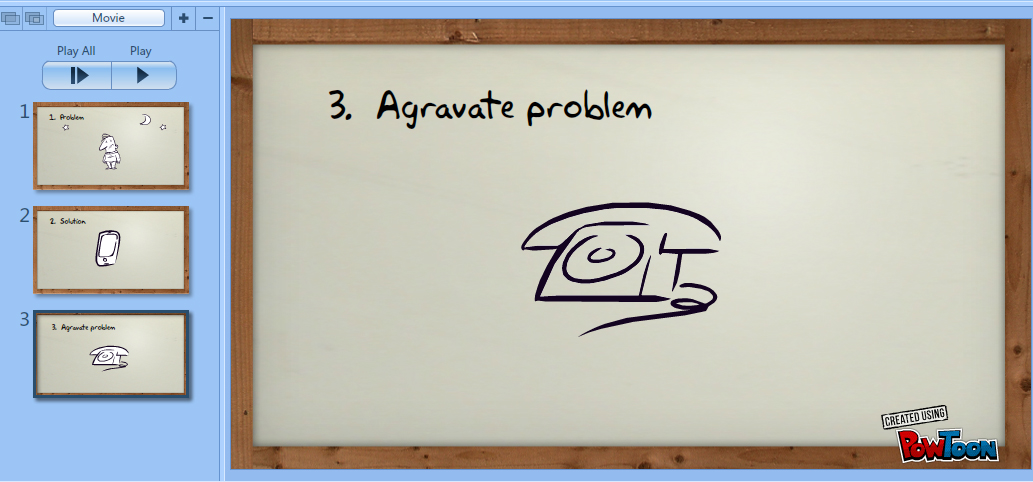
  3. Aggravate problem (for example show what usefulness other solutions are there)
  4. What is your solution, what are its benefits and why is it better?
  5. CALL TO ACTION: Test us – Try us – Buy Us.
Remember that when reading your newly created script without pauses, 90 seconds corresponds to around 225 words! So before finalizing your script, please make sure to do a word count (and if I can give you another piece of advice: SHORTEN THE SCRIP ONCE and then SHORTEN IT AGAIN).
Step 2: Voice-Over Guide / Background Music
You need to either choose a background track for your music or record a voice-over guide. This means that you need an mp3 file of the TEXT PARTS of the script read out as they will appear in the Powtoon. Don’t worry, this does not have to be a professional voice-over, it can just be something basic for now, you are doing this mainly as a TIMING guide.
So you can do this yourself (record yourself in http://audioboo.fm/) or use an online text to voice software. You can always hire a professional voice over artist later to give your Powtoon a real polished sound, this can make a really big difference for a relatively small investment (Just place a GIG on thePowToon Marketplace for a Voice-over).
Once you have your voice-over guide, all you need to do is upload it into PowToon and you will now be able to add the visuals to the sound.
 
Step 3: Dividing the Slides
Now you can start creating slides according to the script. Each slide represents a scene and an idea as outlined in the script. Try to keep your slides short, this way you can put a lot of interesting visuals in your Powtoon.
If you have a voice over, you can make some of the words come to life by making them appear in time on the screen. You don’t need to have each word that appears in the script on the stage, but rather chose important words to emphasize certain points.
Step 4:  Populate the Slides
Now it’s time to add graphics, background, props, images and characters to your slides. It’s important to convey the message together with the graphic images and as little text as possible, so the audience doesn’t have to sit there reading all the time (unless this is the effect you’re after) and doesn’t get overwhelmed with information.
For example: If the problem makes the main character sad, it is enough to display the main character in a sad pose without adding any text.

Step 5: Timing
Now you have to time it all. This is the last step and is actually one that can have a significant effect on the “professional” look and feel of your final result.
The PowToon timeline is designed to allow you to easily adjust the appearance and timing of all the elements on the screen. You can now listen to the voice-over running in the background and make sure that all the visual elements reflect what you hear. The more accurate you get this; the more awesome the final result!


Wednesday, 18 November 2015

What is Microsoft Access Used For?


Microsoft Access is an information management tool that helps you store information for reference, reporting, and analysis.  Microsoft Access helps you analyze large amounts of information, and manage related data more efficiently than Microsoft Excel or other spreadsheet applications.  This article shows you when to use Access, and how it can help make you more effective.


Thursday, 5 November 2015


Assalamualaikum,
Pengalaman pertama kali dipanggil untuk buat presentation tentang kerja power point secara mengejut tanpa bersedia  . Seriously, rasa berdebar dan terkejut sampai habis kelas pun masih debar lagi tetapi alhamdulilah lecturer sabjek applikasi komputer baik. Semasa buat presentation, hanya Allah yang tahu bagaimana debaran itu tetapi Alhamdulillah presentatation saya selesai dengan baik.Walau bagaimanapun,saya dapat pengalaman baru dimana kita perlu sentiasa bersedia dengan ilmu-ilmu yang pensyarah sudah mengajar..Ini kerana hari ni ada "pop kuiz" ...huuuhh,,mengeluh terus bila mendengar pop kuiz..hahaha..cuba korang teka ada berapa pop kuiz???..........ada 3 pop kuiz yang berkaitan dengan HTML,Microsoft Power Point dan satu lagiiiii sedang menunggu selepas selesai post blog ini....markah kuiz untuk HTML teruk sikit tetapi untuk kuiz Power Point Alhamdulillah dapat skor
 80 % ...Alhamdulillah baru rasa lega dan semangat untuk belajar...By the way, lepas habis kelas saya balik ke Thailand..yeayyy!..Terima Kasih kawan sebelah juga yang tolong tenangkan saya! dup!dap!..


bye semua! selamat bercuti midsem!